Project Overview
Ana is an AI-powered mobile app that exposes media bias and support users in accessing factual, balanced news.
The Problem
Users struggle to identify subtle media bias and don’t trust either mainstream or AI-generated news sources.
The Solution
Ana is an AI-powered mobile app that: detects/explains media bias, promotes media literacy and empowers user control while building trust through transparency.
80%
Considered receiving the full story with multiple perspectives as essential
73%
Reported Ana helped them view news more critically
Research Methodology
Post literature review, we launched a survey and user interviews to learn users’ skepticism toward AI and the news. The interviews concluded with a card sorting activity that required users to order Ana’s media analysis output. Ana’s output was then tested in our in-class activity, to understand how users’ perceive Ana.
Literature Review
AI Instructions
Survey
Interview, Card Sorting
In-Class Activity
Design Methodology
Ana's low-fidelity design was critiqued through request-for-proposal exchange with another capstone project team. We then tested the hi-fi version of Ana using the Rapid Iterative Testing and Evaluation (RITE) method.
Lo-Fi Design
RFP Trade
Hi-fi Design
RITE Testing
Survey Findings
Users struggled with subtle framing and often failed to recognize bias that matched their own worldview, validating the need for Ana’s explainable bias detection system.
68%
Misclassified a left-leaning headline critical of the GOP as right leaning
82%
Wanted to understand the story from all political sides
43
20–34
68% Left-leaning
Interview Findings
User interviews revealed a strong preference for these tools: bias identification, facilitated fact checking, present media perspective.
Interview Details
Interview Question Themes
Political Views
Perception of Bias
News Consumption Habits
Identified Concept: Skepticism in AI
“I thought about ChatGPT, like getting the article there and saying, okay, is this true or not? But also... you can’t trust [AI] 100%" -P3
Identified Concept: Interest in Opposing Political Sides
“Messy defiance is much better than getting along with everyone." -P9
Post Interview, Card Sorting
This activity gave us an initial idea of how Ana's output could be organized, section titles were added to aid in section division.
Core Evaluation
Source Credibility
Alternative Framing
Contextual Analysis
Political Bias Analysis
Bias Pattern Detection
Balance Check
Headline Sources
Explore More
Recommendations
Related Topics
9
20–36
78% Left-leaning
In-Class Activity, Testing Ana
We conducted an in-class activity to validate both our AI's output and our hypothesis about the user-AI perception gap. Following a structured protocol, classmates first analyzed headlines manually and then compared their findings to Ana's generated analysis.
Mid-Fi to Hi-Fi
I selected the iOS 18 component library because of its popularity amongst mobile users. Our team traded Requests for Proposal with Her Team (another capstone project team). Her Team confirmed that the core concept was strong and the onboarding flow was "smooth and intuitive".

Ana UI Design
The primary function is to provide a clear analysis of media inputted into Ana. Ana's output gives details on source credibility, detected biases, perspectives included & omitted and other information to consider. This function was the focus of user testing.
Created Ana Pages
MVP: Single Media Analysis
News For You
Discussions
Single Media Analysis
1.1 Media Analyze

1.2.a Main Takeaways

1.2.b Main Takeaways

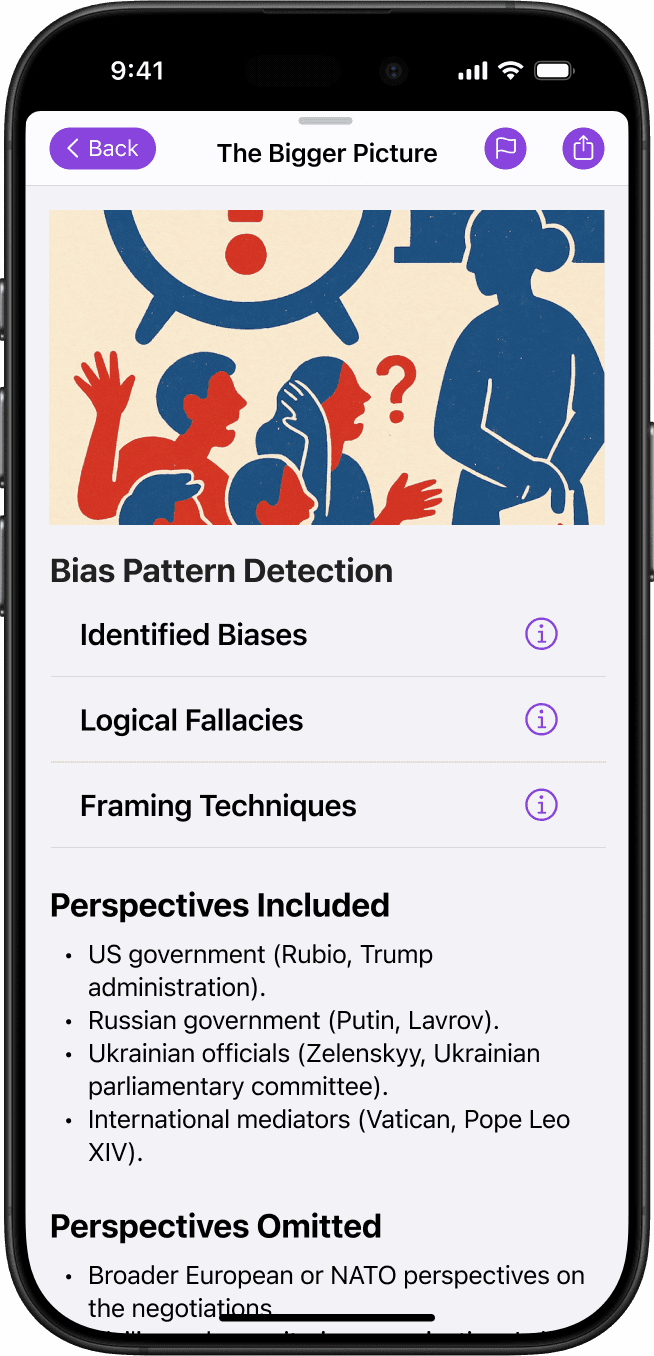
1.4 About the Source

1.5 Share with Comments

Completed Flows
These flows are complete and users had a chance to view their current progression. For brevity, only 3 screens for each flow. Scroll left in the gray area to view screens.
Flow 1 of 4
News For You
Users can view news by topics selected in their account. Additional features include viewing various topics from different political perspectives.
2.1.a News For You, Center

2.1.b News For You, Left
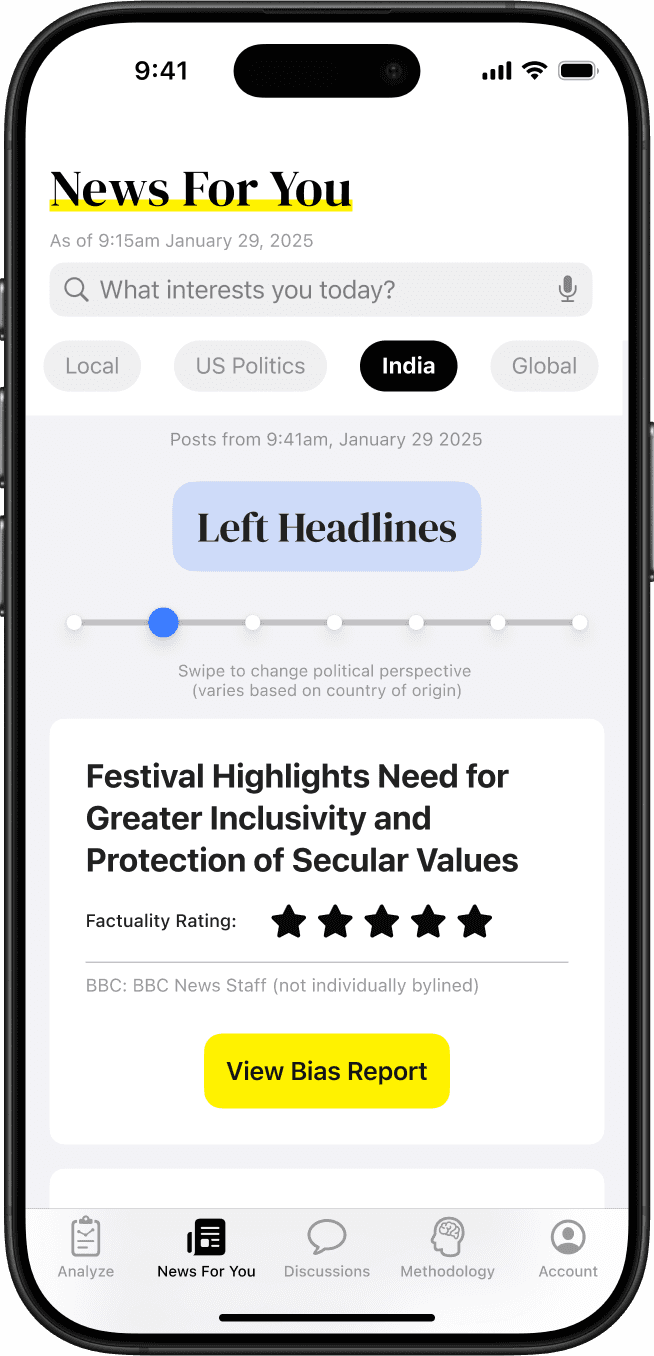
2.1.b News For You, Right

Flow 2 of 4
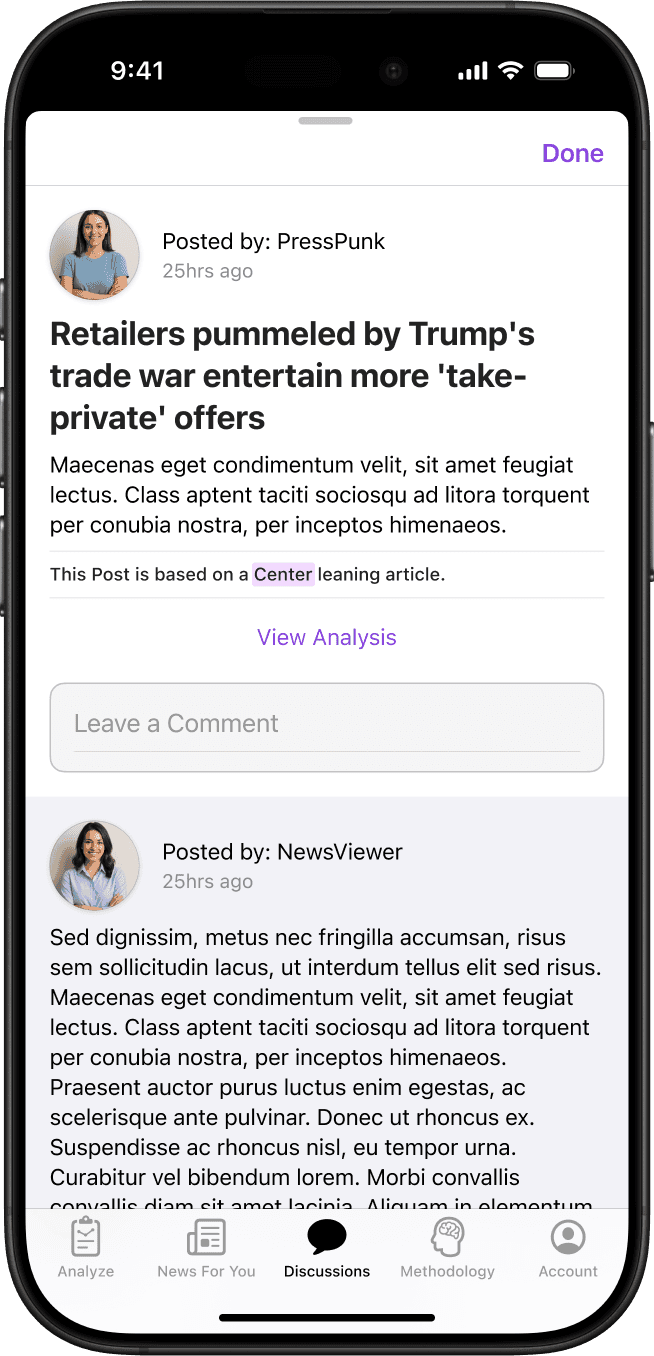
Discussions
Account holders with Ana can interact with other users with an online alias. This is a space for users to share media analysis and engage in conversation.
3.0.a Discussions
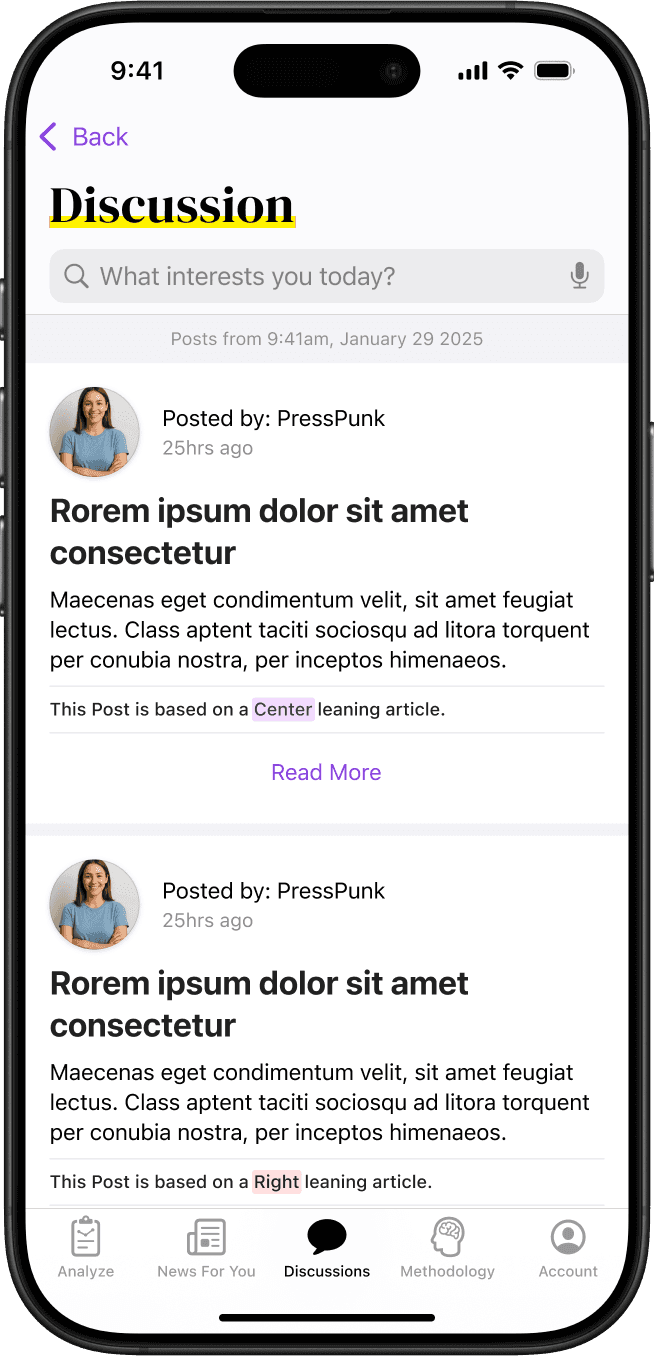
3.0.b Discussions Search
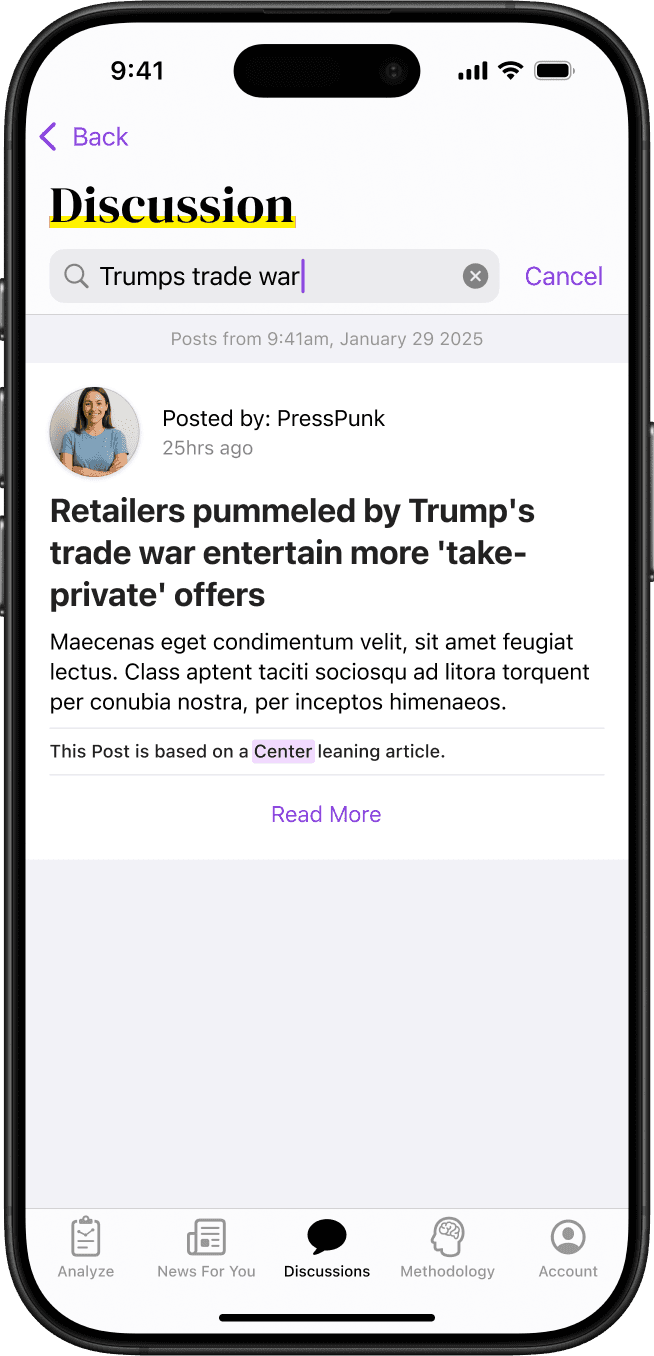
3.2 Discussions Posting
Flow 3 of 4
Methodology
This section acts as a database for how Ana works as well as keywords used in the space of media bias. We want to provide clarity to ease AI skepticism.
4.0 Methodology

4.1 Source Credibility

4.6 Keywords

Flow 4 of 4
Account
Users are encouraged to create an account to: view previous analyzed articles, partake in discussion, and select topics for their “News For You” page.
5.0 Account Creation

5.7 Topic Selection

5.7 Ana Explanation

User Testing
Ana’s current MVP comes from a round of usability testing using the RITE method. The testing was conducted within a week. Usability test focused on the single media analysis flow. Participants were then encouraged to explore the rest of the application.
Participant 1
36, Male, Unemployed
Participant 2
26, Male, Student

Testing Feedback
Information Hierarchy
Users requested to see the “Main Take aways” immediately, but the initial design buried this content below the scroll.
Interaction Clarity
Key interactive elements, like the “main Takeaways” button, lacked strong visual cues to show they were clickable.
Content Organization
Based on the RFP and user testing, we reorganized the order of Ana's output including the names of each section.

Reflection & Future Work
Building Interactivity
Implement user-requested flagging and feedback systems to create a “human-in-the-loop” system that refines AI analysis over time, building trust and engagement.
Enhancing AI Explainability
Develop the AI to provide nuanced explanations for its bias ratings, particularly for complex cases like the subject/perspective confusion we observed.
Broader Demographic Testing
Conduct studies with a more politically and demographically diverse user base to ensure Ana is effective for all users.
Expanding to Desktop
Ana was designed to be successful as a responsive design, next steps include designing the desktop version.
Copyright Diego J. Reyes-Alicea
Designed by Diego J. Reyes-Alicea
Updated October 2025